
There is a particular kind of cyberattack that keeps people in our line of work up at night, and a fresh example of it surfaced on June 3, 2026. It is the kind where the victim does almost everything right — they are cautious, they are paying attention, they have heard all the warnings about suspicious emails — and they still end up with an attacker holding the keys to their entire computer. No password was guessed. No firewall was broken. The victim was simply outsmarted at every step by an attack designed, from start to finish, to look exactly like something they could trust.
This one is worth understanding in detail — not the technical guts of it, but the story of it: how it begins, how it slips past the defenses most businesses rely on, and what actually happens once it sinks its hooks in. Because the lesson at the end is not “buy better software.” It is something far more important about how these attacks really work, and where your true protection comes from.
It starts with an email that gets through
The attack begins, as so many do, with an email. But this is not the clumsy, typo-riddled scam of years past. The first clever move is in how it gets past your spam filter at all. Most security tools work, in part, by checking whether a link points somewhere shady. The attackers behind this campaign found a way around that: they route their victims through one of Google’s own trusted web addresses first — a legitimate Google-owned domain that security tools are reluctant to flag, because flagging Google would break half the internet. The malicious destination hides behind the good name of a company everyone trusts. The email sails through, looking clean, because the first place it points is genuinely safe.
Then it shows you a page built just for you
Here is where it gets unsettling. When the victim clicks through, they do not land on some generic fake page. They land on a page that has assembled itself, in real time, to look like it belongs to their company. It pulls in the business’s branding. It reflects their location. It greets them in a way that feels internal, expected, routine. The attackers did not build this custom page by hand — and that is precisely what makes it dangerous. They built one clever system that personalizes itself automatically for every single target, which means they can run this against thousands of businesses at once, and each victim sees something tailored convincingly to them. What used to take a skilled criminal hours to craft for one target now happens instantly, for everyone, at scale.
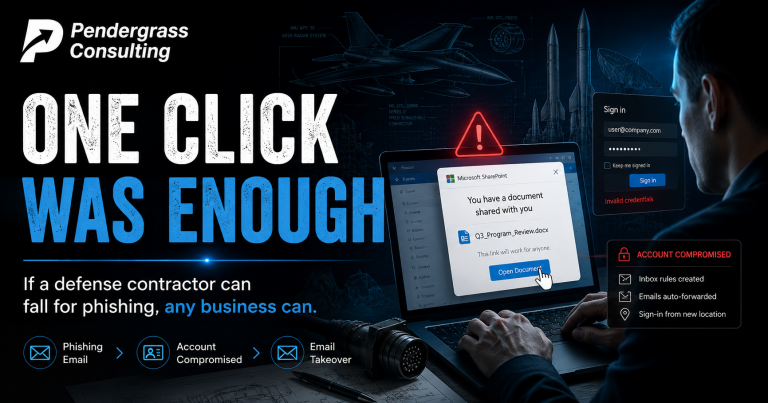
On that page sits a single, reasonable-looking button — an invitation to download what appears to be an ordinary document. The victim has no reason to doubt it. The email looked legitimate. The web address ran through Google. The page has their own company’s name on it. Every signal they have been taught to check comes back green. So they click. And that one click is the moment the trap closes.
What happens in the seconds after the click
From the victim’s point of view, almost nothing happens. Maybe a file opens, or seems to fail to open, and they shrug and move on with their day. But beneath the surface, a quiet, carefully sequenced chain of events has been set in motion — and the design of it tells you everything about how serious modern attackers are.
The first thing the intruder does is look around to make sure no one is watching. It checks whether it has landed on a security researcher’s analysis machine rather than a real person’s computer, and if it suspects it is being studied, it simply shuts down and vanishes, so it can never be caught and examined. Once it is satisfied it is on a real target, it goes to work on the computer’s defenses — quietly switching off and blinding the very security tools that are supposed to catch it, including the protection built into Windows itself. It does this before it does anything noisy, so that by the time it acts, the alarms have already been disconnected.
Then it hides. Rather than running as its own obvious program, it buries itself inside legitimate, trusted system processes — the digital equivalent of a burglar slipping into a staff uniform so the security guard waves him through. And it makes sure it survives. It sets itself to relaunch every time the computer restarts, so shutting the machine off and turning it back on does not clear it. By the time this sequence finishes — and it takes only moments — the attacker has a quiet, durable, well-hidden foothold inside the machine, with the defenses turned off and no obvious sign anything is wrong.
What it means once they are in
The thing the attacker installs is what the security world calls a remote access trojan — and the plainest way to understand it is this: someone you cannot see is now sitting at your computer, with all the same powers you have, any time they choose. This is not a virus that scrambles your files and announces itself. It is the opposite. Its entire purpose is to stay quiet and give an outsider full, ongoing control of the machine.
With that control, they can watch what you do. They can copy your files. They can harvest the usernames and passwords saved in your browser — your email, your bank, your accounting software, your customer records. They can read what you type. They can use your computer as a launching point to reach deeper into your business’s network, hopping from the one machine they compromised to the others around it. And they can install still more malicious tools whenever they like, because they now own the front door and can open it as often as they please. The single infected computer is no longer really yours. It is a quiet outpost the attacker operates from, for as long as they go unnoticed — which, with the alarms disabled and the malware in disguise, can be a very long time.
What this means for a small business
Now place that single compromised computer inside a small business. It might be the front-desk machine, the bookkeeper’s laptop, the owner’s desktop. From that one foothold, an attacker can quietly drain the business bank account over days, not minutes. They can steal the personal and financial information of every customer in your records — and in many states, a breach like that triggers legal obligations to notify those customers, with real costs and real reputational damage attached. They can lie in wait, learning how your business sends invoices and talks to clients, and then slip in a fraudulent payment request that looks exactly like a real one. They can use your compromised email to attack your customers and vendors, turning your good name into the next link in the chain. For a large company, an incident like this is a bad quarter. For a small business, it can be the end.
And here is the part that matters most, the reason we walked through this whole story. Notice what did not save the victim. Their spam filter did not save them — the attack was built to slip past it. Their own caution did not save them — every signal they were taught to check looked legitimate. Their antivirus did not save them — the attack disabled it before doing anything visible. The conventional, set-it-and-forget-it protections that most small businesses quietly rely on were each, in turn, designed around and defeated. That is not a failure of any one product. It is the nature of how serious attacks work in 2026.
Where real protection actually comes from
If a careful person with a spam filter and antivirus can still be taken over this completely, what actually works? The answer is not a single tool. It is layers, and it is people. It is having defenses arranged so that when one is slipped past — and one always eventually is — the next one is waiting. It is having protection that watches for the behavior of an intruder already inside, not just threats trying to get in. It is having someone whose actual job is to notice when something is quietly wrong on a machine that looks fine. And above all, because every one of these attacks still depends on getting one human being to click one thing, it is having a team that has been genuinely trained to recognize the moment they are being played — even when, especially when, everything looks legitimate.
That last layer — your people — is the one most small businesses neglect entirely, and it is the cheapest and most powerful one you have. The attackers in this campaign spent enormous effort to make their trap look trustworthy precisely because they know the human is the door. A team that has been trained to pause at the right moment is the single thing this entire elaborate attack cannot fully engineer its way around. We build that training around the way your business actually works, in plain language, for people who are not technical — because the goal is not to make your team into security experts. It is to give them the one instinct that stops an attack like this cold.
Attacks like this one are not going to slow down — they are going to get more convincing, more automated, and more personal. The businesses that come through the next few years unharmed will be the ones that decided to take their people and their defenses seriously before they had a reason to. If you are not sure whether your team would spot the moment they were being played, that is exactly the gap worth closing now, while it is still a conversation and not a crisis.
Sources: The Hacker News and Huntress threat research (Anna Pham and Adam Mooney), June 3, 2026.