Here’s a stat that should change how every small business owner thinks about cybersecurity in 2026: when security firm Bitdefender analyzed 700,000 real security incidents across its customer base, they found that 84 percent of high-severity attacks no longer rely on traditional malware. They use trusted, built-in Windows tools instead.
That number isn’t an outlier. CrowdStrike’s most recent Global Threat Report puts the malware-free attack rate at 79 percent of all detected attacks – up from just 40 percent in 2019. The shift is dramatic, well-documented, and a quiet disaster for any small business whose security strategy still revolves around “we have antivirus.”
The technique has a name. Security professionals call it Living Off The Land, or LOTL. And understanding what it is – and why your existing defenses probably can’t catch it – is one of the most important conversations a small business owner can have this year.
What “Living Off The Land” Actually Means
The phrase comes from military terminology, where it refers to soldiers operating without relying on resupply lines – using whatever is already available in the environment. In cybersecurity, the meaning is similar: instead of bringing in custom malicious software (which would trigger antivirus alarms), attackers use the legitimate, pre-installed tools that come with Windows itself.
Some of the most commonly abused tools in current attacks:
- PowerShell – Microsoft’s powerful scripting and automation tool. Used legitimately by 96 percent of organizations. Used by 71 percent of documented LOTL cases to download payloads, execute code in memory, disable defenses, and move laterally across networks.
- WMIC (Windows Management Instrumentation) – A built-in tool for querying and managing Windows systems. Found running on most Windows endpoints, even though Microsoft is deprecating it.
- Certutil – A Windows utility for managing digital certificates. Attackers use it to download files from the internet (bypassing many web filters), decode malicious payloads, and stage further attacks.
- Rundll32 – A standard Windows component used to run code from DLL files. Useful for executing malicious code without dropping new files on disk.
- Scheduled Tasks – Windows’s built-in scheduler, abused for persistence (so the attacker maintains access even if the computer is rebooted).
- cmd.exe – The standard Windows command prompt, used to run system commands at attacker direction.
Every one of these tools is on every Windows computer. Every IT administrator on the planet uses them legitimately every day. Antivirus and security software trusts them implicitly, because they have to – blocking PowerShell or WMIC would break the operating system.
That’s exactly why attackers love them.
Why This Bypasses Your Security Tools
To understand the problem, it helps to know how traditional antivirus actually works. For most of its history, antivirus software has detected threats using signatures – essentially a giant database of known-bad files. A new threat gets discovered, security researchers analyze it, the signature gets added to the database, and the next time that file shows up on your computer, the antivirus catches it and quarantines it.
This works well when the attacker is using a unique malicious file. It does not work at all when the attacker isn’t using any file – because the tools they’re using are legitimate Windows programs that ship with the operating system. There’s nothing to flag. The file is signed by Microsoft. It’s been on every Windows machine since the 1990s. It’s running as the user expected. From the antivirus’s perspective, nothing unusual is happening.
The problem isn’t that your antivirus is broken. The problem is that antivirus was built to catch a different generation of attack. Modern attackers have figured out how to operate entirely inside the trusted boundary that antivirus was designed to protect.
And the dwell time – the amount of time attackers stay inside a network before being discovered – is staggering. The Volt Typhoon campaign, attributed to Chinese state-sponsored actors and confirmed by CISA, maintained access to U.S. critical infrastructure organizations for at least five years using nothing but built-in system tools and valid credentials. Five years inside the network. No malware to find. No alerts to trigger. Just trusted system tools doing suspicious things, very slowly, very carefully.
What This Looks Like in a Small Business Attack
For a small business in Raleigh, Cary, Selma, or anywhere in the Triangle, here’s how a typical LOTL attack actually unfolds:
- Step 1 – Initial access. An employee clicks a phishing email link, gets tricked into running a “support tool,” or has their credentials stolen through a previous breach. The attacker now has some level of foothold on one machine.
- Step 2 – PowerShell takes over. Instead of downloading a malicious file, the attacker uses PowerShell to run a script directly in memory. The script never touches the disk. Antivirus has nothing to scan.
- Step 3 – Reconnaissance with WMIC and built-in tools. The attacker uses WMIC,
net.exe, and PowerShell cmdlets to map out the network. Which servers are running? What accounts have admin rights? Where does the financial data live? Where are the backups? All of this looks like normal IT administration activity. - Step 4 – Credential theft. Using built-in Windows tools or open-source utilities, the attacker extracts cached passwords and authentication tokens from memory.
- Step 5 – Lateral movement. Armed with stolen credentials, the attacker uses tools like PowerShell remoting, scheduled tasks, and Windows Management Instrumentation to move from machine to machine. Each step looks like legitimate administrative activity from a privileged account.
- Step 6 – Persistence. The attacker creates scheduled tasks, modifies registry keys, or registers as a service – all using standard Windows mechanisms – to make sure they can return to the network even if the original entry point is closed.
- Step 7 – Objective. The attacker exfiltrates data, deploys ransomware, sabotages systems, or just sits there gathering information for months. By the time anyone notices, the damage is done.
The entire attack chain can happen with zero malicious files downloaded. Zero alerts. Zero antivirus warnings. The only signal is behavior that’s slightly unusual – and detecting that requires a different kind of security than most small businesses have in place.
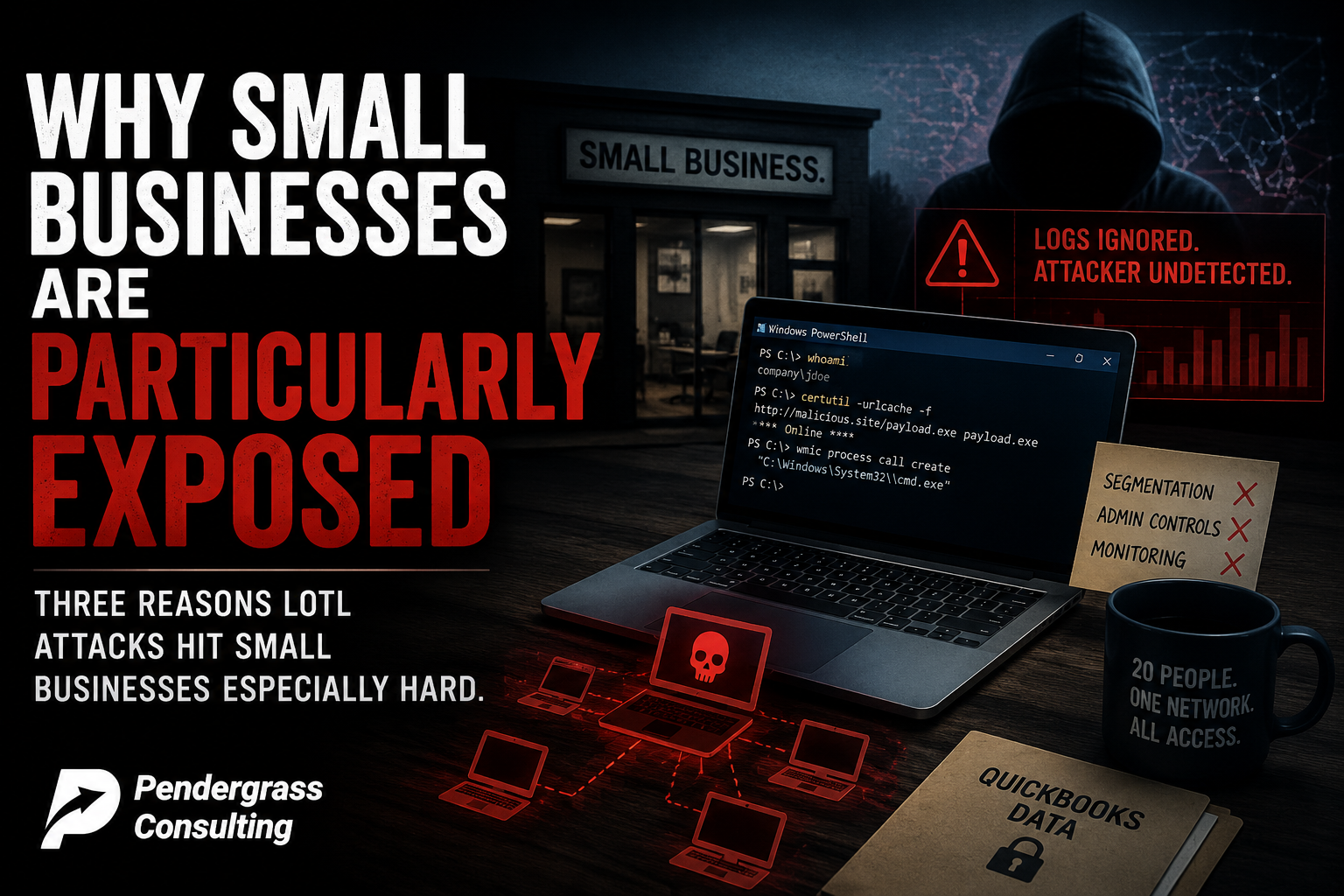
Why Small Businesses Are Particularly Exposed
Three reasons LOTL attacks hit small businesses especially hard.
First, the security tools small businesses can afford are usually signature-based. Most consumer-grade and small business antivirus products are still primarily looking for known-bad files. They have some behavioral capabilities, but those features are often disabled, misconfigured, or simply not strong enough to catch a sophisticated attacker who knows how to blend in with normal activity.
Second, small businesses rarely have anyone watching logs. The signals that reveal LOTL activity – unusual PowerShell scripts running at 2 a.m., admin accounts logging in from new locations, unexpected use of WMIC or Certutil – are all visible in Windows event logs. But nobody is looking. The logs accumulate, the activity blends in, and the attacker operates undetected for months.
Third, small business networks have weaker internal controls. A bank has segmented networks, jump servers, restricted admin rights, and continuous monitoring. A 20-person business in the Triangle has a flat network where one compromised laptop has line-of-sight to every other machine, the file server, and the QuickBooks data. Once the attacker is in, LOTL techniques let them move freely.
What Actually Defends Against LOTL
The good news: this is a solvable problem. The bad news: the solution is not buying another antivirus product. It’s a layered approach to behavior-based detection and disciplined account management.
- Behavior-based endpoint detection (EDR). Modern endpoint detection and response tools look at what software is doing, not just which files exist. When PowerShell spawns a network connection to an unusual domain and starts extracting credentials from memory, an EDR tool flags it – even though no malicious file is involved. This is the single biggest upgrade most small businesses can make.
- Restrict who can run PowerShell and administrative tools. Most employees do not need to run PowerShell. Group policy, AppLocker, or Windows Defender Application Control can restrict execution of high-risk tools to administrators only. This single setting closes off a huge portion of the LOTL attack surface.
- Enable PowerShell logging. By default, PowerShell activity is not logged in detail. Enabling script block logging, transcription, and module logging gives you the visibility to detect malicious scripts after the fact – and to investigate when something seems off.
- Remove local administrator rights from regular users. An employee who can install software, modify scheduled tasks, or change registry settings is an employee whose credentials are catastrophic when stolen. Most users do not need admin rights. Removing them is one of the highest-leverage security controls available, and it costs nothing.
- Network segmentation. The flat network is the LOTL attacker’s best friend. Even modest segmentation – separating workstations from servers, restricting which machines can talk to each other on critical ports – dramatically slows down lateral movement.
- Active log monitoring. Someone needs to be looking at the logs. Not every day, but consistently. Unusual logins, unexpected admin activity, unfamiliar processes – these signals are visible to anyone watching for them. The reason LOTL attackers succeed is that nobody is watching.
- Employee security awareness training. The first step of nearly every LOTL attack is a successful phishing email or a tricked-into-installing-something moment. Train employees to recognize and report these attempts before they become a foothold.
What This Means for Your Business This Quarter
If your business is running on Windows – and almost every small business is – the question worth asking this quarter is not “do we have antivirus?” Your antivirus is probably fine. The question is: if an attacker got onto one of our machines tomorrow and started using PowerShell, WMIC, and built-in Windows tools to map our network, steal credentials, and exfiltrate data, would anyone notice?
For most small businesses, the honest answer is no. Nobody is looking at the logs. There’s no behavioral detection in place. The attacker would have weeks or months to operate before anything triggered an alarm. That’s not a hypothetical anymore – that’s the reality that 84 percent of high-severity incidents in 2025 actually unfolded inside.
Fixing this doesn’t require an enterprise security budget. It requires the right tools, the right configuration, and someone whose job it is to make sure those things are in place and working. For most small businesses, that “someone” is a managed IT and cybersecurity partner.
How Pendergrass Consulting Helps
Our managed cybersecurity service for small businesses across the Research Triangle is built around exactly the gaps this story exposes:
- Modern behavior-based endpoint detection on every workstation and server – not just signature-based antivirus. We deploy tools that watch what software actually does, so the moment PowerShell or another trusted utility starts behaving abnormally, we know.
- Endpoint hardening – removing unnecessary local admin rights, restricting PowerShell execution where appropriate, configuring proper logging, and locking down the attack surface that LOTL depends on.
- Active log monitoring – we watch the signals that LOTL attacks generate. Unusual administrative activity, unexpected lateral movement, unfamiliar processes connecting to outside servers.
- Network segmentation guidance and implementation for small businesses ready to take that step.
- Security awareness training for your team built around real, current threats – including how attackers gain the initial foothold that LOTL attacks build from.
- Quarterly reviews where we walk through what we changed, what we found, and what’s coming next.
If your business’s cybersecurity setup is essentially “we have antivirus and we hope nothing happens” – and that’s the reality for most small businesses we talk to – the next 12 months are going to be uncomfortable. Living Off The Land attacks are not slowing down. They are the dominant attack methodology of this decade. The defense is doable. But it’s not the defense you bought five years ago.
If you’ve never had a real conversation about what’s actually running on your team’s computers, who would notice if PowerShell started doing something unusual tonight, or whether your security tools would catch an attacker who never downloaded a single malicious file – that’s exactly what we cover in a comprehensive small business environment review. There’s no charge for the first conversation and no commitment beyond it.
Pendergrass Consulting
Phone: 252-432-3325
Email: Sales@PendergrassConsulting.com
110 S. Massey St., Suite 201, Selma, NC 27576
Pendergrass Consulting is a full-service IT firm based in Selma, NC, serving small businesses across the Research Triangle, Raleigh, Cary, Wake County, Johnston County, and nationally for web, hosting, email, cloud backup, cybersecurity, and digital marketing services.