The Update That’s Driving Users Away
If you use Discord, you need to know what’s coming in March 2026—and it’s already sparking a mass exodus of privacy-conscious users.
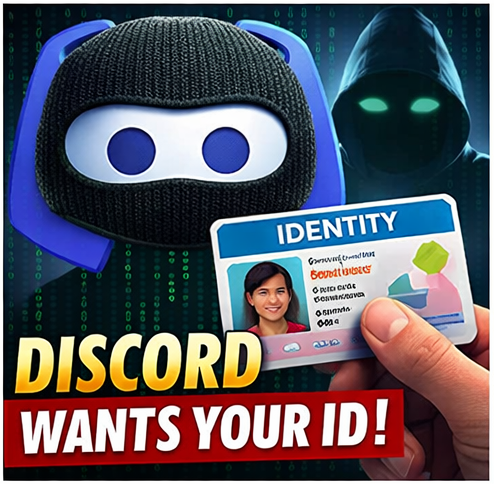
Discord just announced that starting in early March, every single user account will be locked into “teen-by-default” mode unless you verify your age by either submitting a government-issued ID or letting Discord scan your face using AI-powered facial age estimation. This applies to all 200+ million users worldwide, including accounts that have been active for a decade.
The backlash has been immediate and fierce. On Reddit, one of the top comments summed up the sentiment: “What a great way to kill your community.”
What Exactly Is Changing?
Discord’s new “teen-by-default” system means that unless you verify your age as an adult, your account will face these restrictions:
Content Filters Locked On: All potentially sensitive content will be permanently blurred with no way to disable the filter.
Age-Gated Spaces Blocked: You won’t be able to access age-restricted channels, servers, or app commands—effectively locking you out of many communities.
Message Request Limitations: Direct messages from people you don’t know get routed to a separate inbox, and you can’t change this setting.
Friend Request Warnings: You’ll receive warning prompts for every friend request from someone you may not know.
Stage Speaking Restrictions: Only verified adults can speak on Stage channels in servers.
To remove these restrictions, you have two options: upload a government ID to Discord’s third-party vendor partners, or take a “video selfie” that gets processed by AI facial age estimation software.
Why Users Are Furious
The timing of this announcement couldn’t be worse. Just four months ago, in October 2025, Discord disclosed that approximately 70,000 users had their sensitive data exposed—including government ID photos—after hackers breached one of Discord’s third-party vendors used for age verification.
Discord says they’ve stopped working with that vendor. They also claim that video selfies for facial estimation “never leave your device” and that ID documents submitted to vendor partners “are deleted quickly—in most cases, immediately after age confirmation.”
Many users aren’t buying it.
“I will not be uploading my face or ID to a database that I know is not secure enough to handle this,” wrote one Redditor, echoing a common sentiment. Others pointed out that Discord also runs an “age inference model” in the background that analyzes your behavior—including what games you play, when you’re active, and other account patterns—to guess your age without verification.
Discord’s head of product policy, Savannah Badalich, acknowledged to The Verge that the company expects to lose users over this change: “We do expect that there will be some sort of hit there, and we are incorporating that into what our planning looks like. We’ll find other ways to bring users back.”
The Bigger Picture: This Is Just the Beginning
Discord isn’t making these changes in a vacuum. The UK’s Online Safety Act, similar legislation in Australia, and mounting pressure from US and European lawmakers have created an environment where platforms are racing to implement age verification—regardless of privacy implications.
If you value your privacy and want control over your data, now is the time to explore alternatives. Specifically, self-hosted alternatives—platforms you run on your own server, where your data never touches a corporate system.
5 Self-Hosted Discord Alternatives That Put You in Control
1. Revolt (Stoat) — The Discord Clone Without the Corporate Baggage
Best for: Users who want a familiar Discord experience with better privacy
Revolt (recently rebranded to Stoat after a cease-and-desist) is the closest thing to a true Discord replacement. Built with Rust for superior speed and efficiency, Revolt looks and feels almost identical to Discord—servers, text channels, voice channels, role management, bots, and all. The transition is nearly seamless.
The key differences? No Nitro upsells, no corporate tracking, no data harvesting. It’s fully open-source and you can self-host your own instance with complete control. End-to-end encryption is in active development.
Self-Hosting: Available via Docker with straightforward setup instructions on GitHub.
Website: revolt.chat
2. Matrix (Element) — The Decentralized Powerhouse
Best for: Users who want federation, bridging, and maximum flexibility
Matrix is an open protocol for decentralized communication, and Element is the most popular client for accessing it. When you run your own Matrix homeserver (using Synapse or the lighter Dendrite), you control your data completely.
The standout feature is bridging. You can connect your Matrix server to Discord, Slack, Telegram, and WhatsApp—meaning you can communicate with friends still on those platforms without installing their apps. This makes migration gradual rather than all-or-nothing.
Matrix uses end-to-end encryption by default and has a federated architecture, meaning no single entity controls the network. Governments and enterprises worldwide trust Matrix for secure communications.
Self-Hosting: More complex than Revolt, but extremely well-documented. Synapse is the reference server; Dendrite is a lighter alternative.
Website: element.io / matrix.org
3. Mumble — The Gamer’s Choice for Crystal-Clear Voice
Best for: Gaming groups who prioritize voice quality and low latency
Mumble has been around for years and remains the gold standard for self-hosted voice communication. Using the Opus audio codec with bit rates up to 510 kbps, Mumble delivers noticeably better voice quality than Discord with significantly lower latency—critical for competitive gaming.
Mumble’s killer feature is positional audio: in supported games, how well you hear other players depends on their in-game positions, creating genuine spatial awareness. The permission system is also more granular than Discord’s.
It’s lightweight, open-source, and extremely resource-efficient. The trade-off is that Mumble focuses on voice—it’s not trying to be a full community platform with persistent text channels and media sharing.
Self-Hosting: Very easy. Mumble server (murmur) runs on minimal hardware.
Website: mumble.info
4. TeamSpeak 5 — The Enterprise-Grade Veteran
Best for: Established communities wanting hierarchy, control, and reliability
TeamSpeak has been the backbone of gaming voice communication since before Discord existed. Version 5 brought a modern interface and features while keeping what made TeamSpeak great: rock-solid voice quality, unmatched permission systems, and the ability to host your own server.
Unlike Discord’s focus on social features and communities, TeamSpeak emphasizes hierarchy and clear audio. The permission system lets you create incredibly granular access controls—useful for organized gaming groups, esports teams, or any community that needs structure.
While not fully open-source, TeamSpeak servers can be self-hosted and give you complete control over your community’s data.
Self-Hosting: Free for non-commercial use with limitations; straightforward server setup.
Website: teamspeak.com
5. Nextcloud Talk — The All-in-One Collaboration Suite
Best for: Teams and families who want chat, calls, and file sharing in one platform
If you’re already running Nextcloud for file storage and collaboration (or considering it), Nextcloud Talk adds voice, video, and text chat to your self-hosted cloud. It’s not a Discord clone, but for many use cases—family groups, small teams, friend circles—it provides everything you need.
The major advantage is integration. Share massive files directly in chat without arbitrary size limits. Collaborate on documents. Manage calendars. All on your own infrastructure, all under your control. Nextcloud Talk also supports bridging to other platforms like Matrix, Slack, and IRC.
Self-Hosting: Runs as a Nextcloud extension. If you have Nextcloud, adding Talk is simple.
Website: nextcloud.com/talk
Honorable Mentions
Rocket.Chat: A polished, Slack-like experience with self-hosting options. The free Community Edition has limitations, but it’s excellent for teams willing to pay for advanced features.
Mattermost: Enterprise-focused, open-source team collaboration. Overkill for gaming communities, but excellent for professional use with strong security features.
Spacebar: An open-source, self-hostable platform that aims for Discord API compatibility. Still maturing, but worth watching.
Making the Switch
Moving an entire community off Discord takes effort. Here are some practical tips:
Start with bridges. Matrix’s bridging capability lets you connect to Discord, so community members can participate from either platform during a transition period.
Begin with a subset. Move your core group or moderators first, work out the kinks, then expand.
Communicate the why. Many users don’t know about Discord’s data practices or the upcoming changes. Sharing this information helps people understand why the move matters.
Accept that some won’t move. Not everyone will follow you, and that’s okay. The goal is to build something you control for those who value privacy.
The Bottom Line
Discord’s decision to require facial scans or government ID verification is a turning point. For some users, it’s a reasonable trade-off for child safety features. For others, it’s an unacceptable invasion of privacy from a platform that already suffered a major data breach involving the exact type of data they’re now demanding.
You don’t have to accept those terms. Self-hosted alternatives exist that give you the features you need without surrendering your biometric data or government ID to a corporation and its third-party vendors.
The best time to explore alternatives is before you’re forced to make a decision. Start experimenting now.
Need Help Setting Up a Self-Hosted Solution?
At Pendergrass Consulting, we help individuals and businesses take control of their digital infrastructure. Whether you want to set up a private communication server for your family, your gaming group, or your business team, we can help you choose the right platform and get it running securely.
Contact us today to discuss your self-hosting needs.